

Contents
Steps 1 and 2 of the test workflow turn a raw idea into a scored, accepted test.
Step 1: Idea #
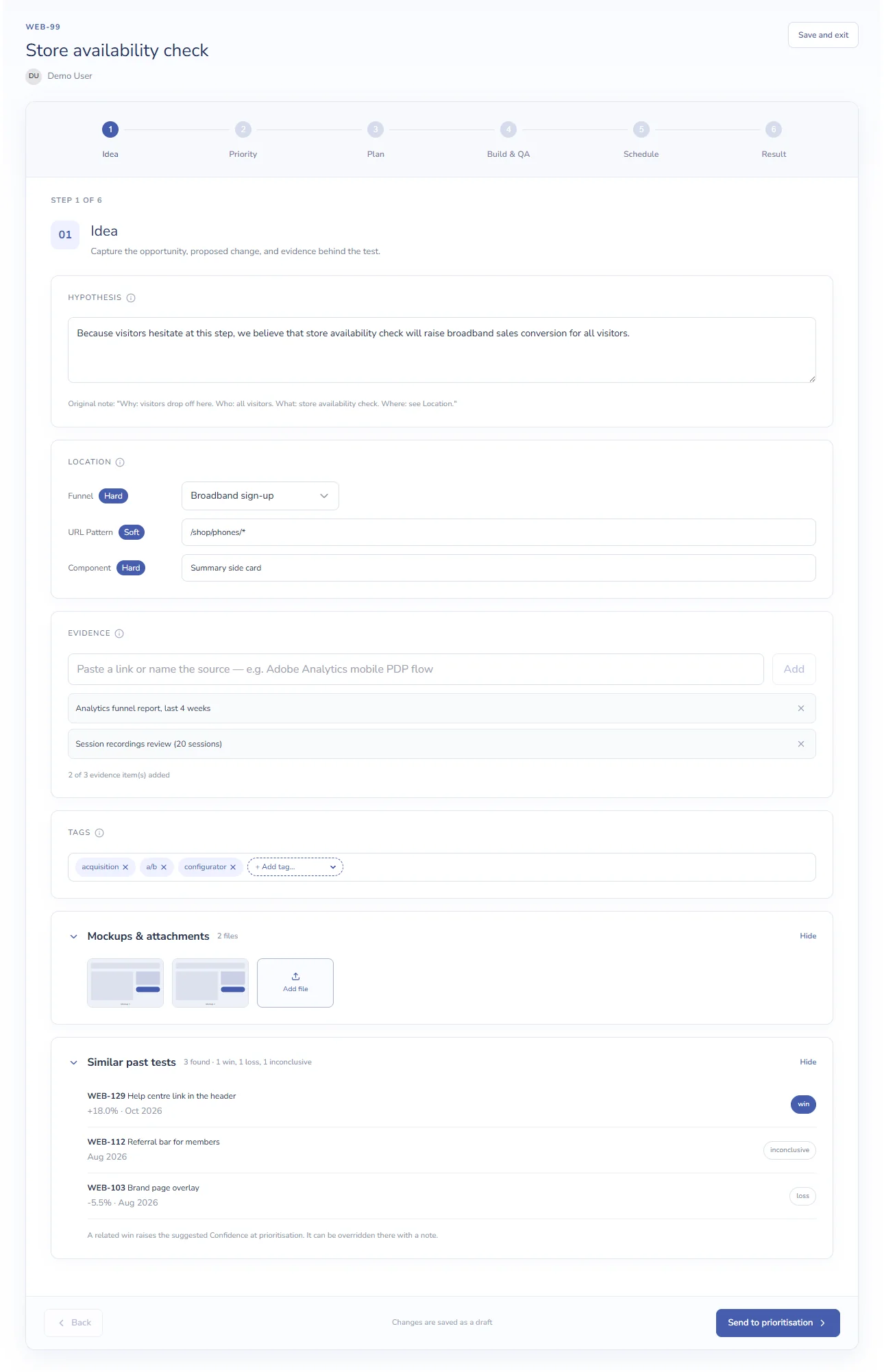
| Section | What to enter |
|---|---|
| Hypothesis | What you’ll change, for whom, and what you expect to happen. For example: “Because the mobile product page loses 31% of visitors on scroll, we believe a sticky add-to-basket button will raise add-to-basket rate by 3% for mobile visitors.” |
| Location | Where the test runs. The fields come from XCM settings. A Hard or Soft badge shows the field is used for conflict checks, and * marks a field your organisation has made required. |
| Evidence | Up to 3 sources: a link, or the name of a report, recording or survey. Type it and press Enter or click Add. |
| Tags | Pick existing tags, or type a new tag name to create it. |
| Mockups & attachments | Click Add file to upload designs or documents: PDF, Word, images or video, up to 10 MB each. Click an image to preview it. |
| Similar past tests | Up to three concluded tests that share the most tags with this one, with their verdicts. Nothing appears until the test has tags. |
Click Send to prioritisation when the idea is ready to be scored.
Step 2: Priority #
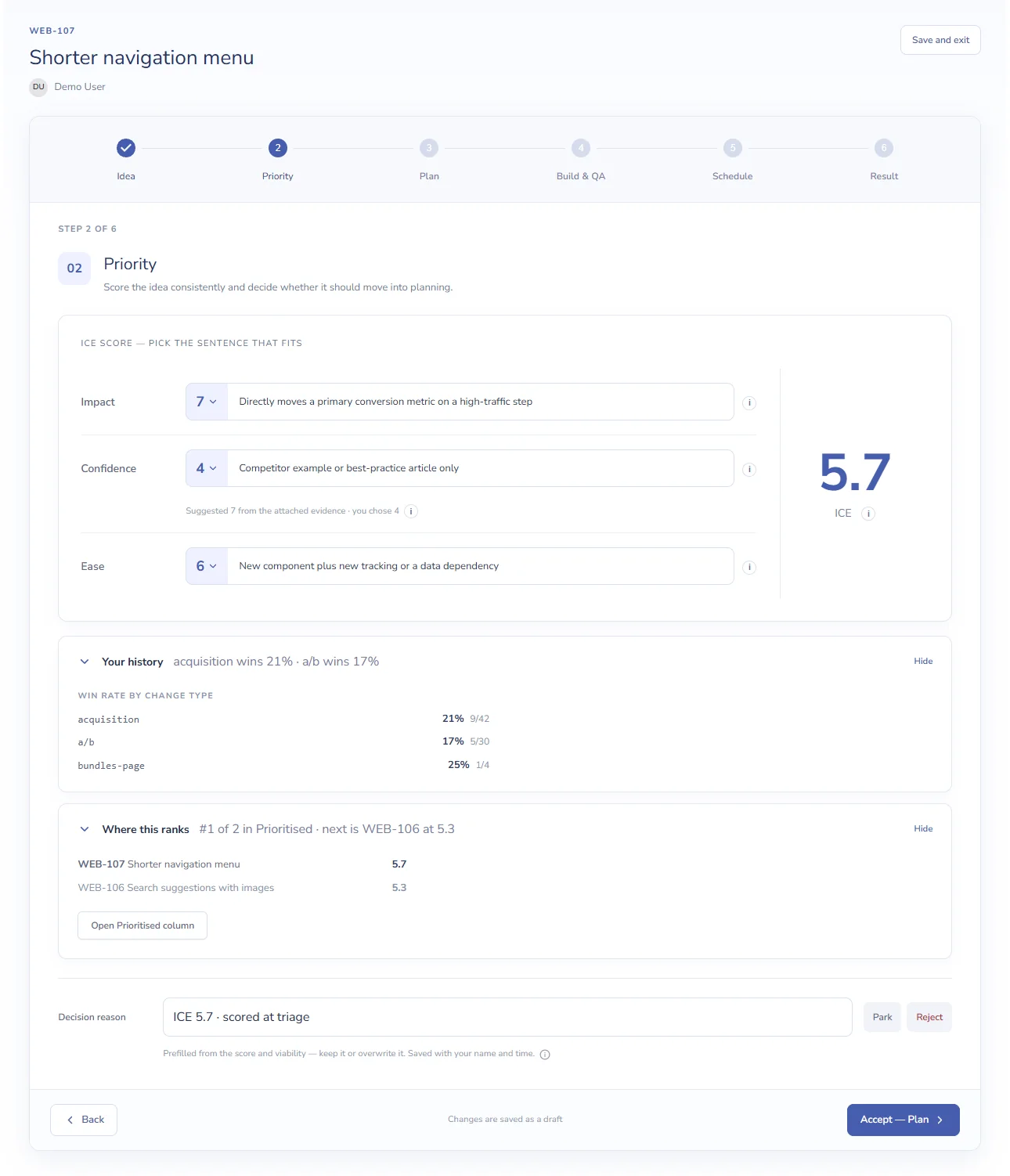
- Score Impact, Confidence and Ease from 1 to 10. Each score in the list comes with the sentence it stands for, so pick the sentence that fits. Hover over i for the full scoring guide.
- Check the ICE score on the right: the average of the three scores.
- Open Your history to see the win rate of past tests with the same tags.
- Open Where this ranks to see where the test would sit among the tests in Prioritised.
- Check the Decision reason. It’s prefilled from the score and rank; keep it or write your own.
- Choose Accept — Plan to move the test to Planning, Park to keep it for later, or Reject. A reason is required to reject.
| Score | What it measures |
|---|---|
| Impact | How much the test would move a primary metric if it wins |
| Confidence | How likely it is to succeed, based on the evidence |
| Ease | How easy it is to build |
Next: Plan and Build & QA steps.


