

A product feed builds an Adobe Target Recommendations catalogue from your own product APIs and pushes it into Adobe Target, on a schedule or when you run it by hand, so you don’t have to upload CSV files to Target yourself.
Plan
Product Feeds is a function, so it isn’t on the Starter plan. Check My Plan to see what your plan includes.
Who can do this
To push products you need an Adobe IO integration with Adobe Target selected, a tenant name, and a product profile that can edit Target (Editor or Approver).
The pipeline #
Every build runs the same steps, in this order:
Your product API(s) ──▶ fetch ──▶ extract and map fields ──▶ merge sources ──▶ CSV rows and columns ──▶ guardrails ──▶ push to Adobe TargetEach step has a tab in the feed editor, and each tab is covered on its own page:
| Tab | What you set there | Page |
|---|---|---|
| Sources | The product APIs, how to call them, and where the products are in the response | Create a feed, Map products and variants |
| Fields | The feed’s field model: types, roles and merge rules | Fields tab |
| CSV columns | The columns Adobe Target receives | CSV columns tab |
| Preview | A test build that pushes nothing | Preview tab |
| Schedule & delivery | Target connection, schedule, guardrails, file options and alerts | Schedule, deliver and protect a feed |
| Runs | Run the feed now and read the result of each build | Runs tab |
Every feed is also a saved task, so it is listed under Functions → Saved Tasks. Open a feed from there to edit it, or use Duplicate to copy it. See Manage saved and recurring tasks.
Draft and publish #
You always edit a draft. The published version keeps running unchanged until you publish the draft.
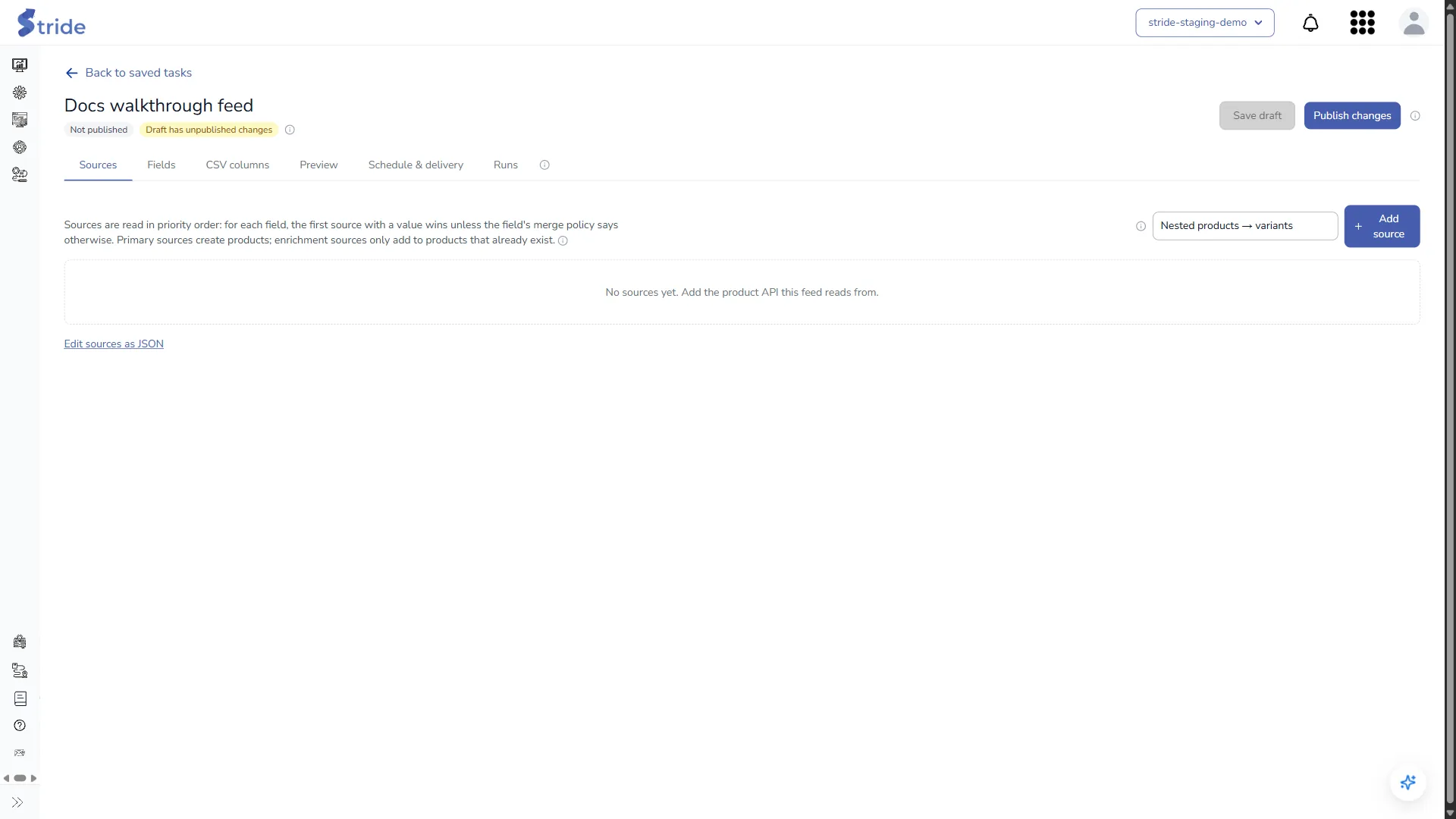
- The badges under the feed name show its state: Published v_N_ or Not published, Draft has unpublished changes, and Paused when scheduled builds are off. “You have unsaved changes.” appears beside them until you save.
- Save draft stores your changes without touching the published feed.
- Publish changes makes the draft live and starts a build.
Changes live systems
Nothing is pushed to Target until you publish. Publish changes makes the draft live and starts a build that pushes every product into the chosen Target environment.
What publishing checks, and how to run a feed again later, is on Publish and run a feed. Every limit and default (sources per feed, timeouts, batch sizes, run history) is on Product Feeds limits.


