

Schedule #
XCM → Schedule shows the next six weeks.
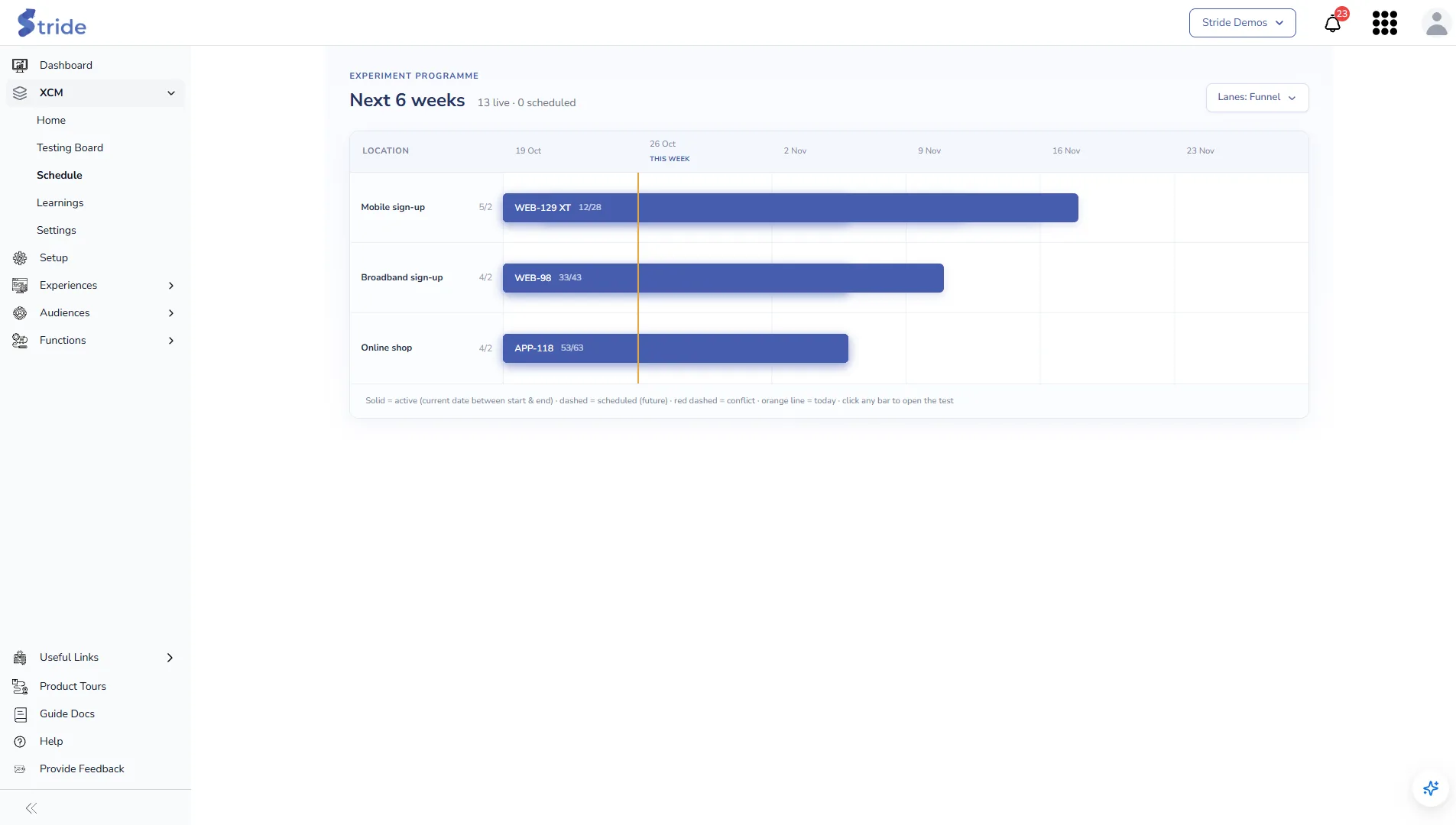
- Each row (lane) is a value of a location field, for example each funnel. The figure next to the lane name is the number of live tests against the lane’s capacity, for example
3/2. Capacity is 2 tests per lane. - Bars are tests. A solid bar is live, a dashed bar is scheduled, and a red dashed bar has a conflict. The orange line is today. Each bar shows the day the test is on and its total length.
- Click a bar to open that test.
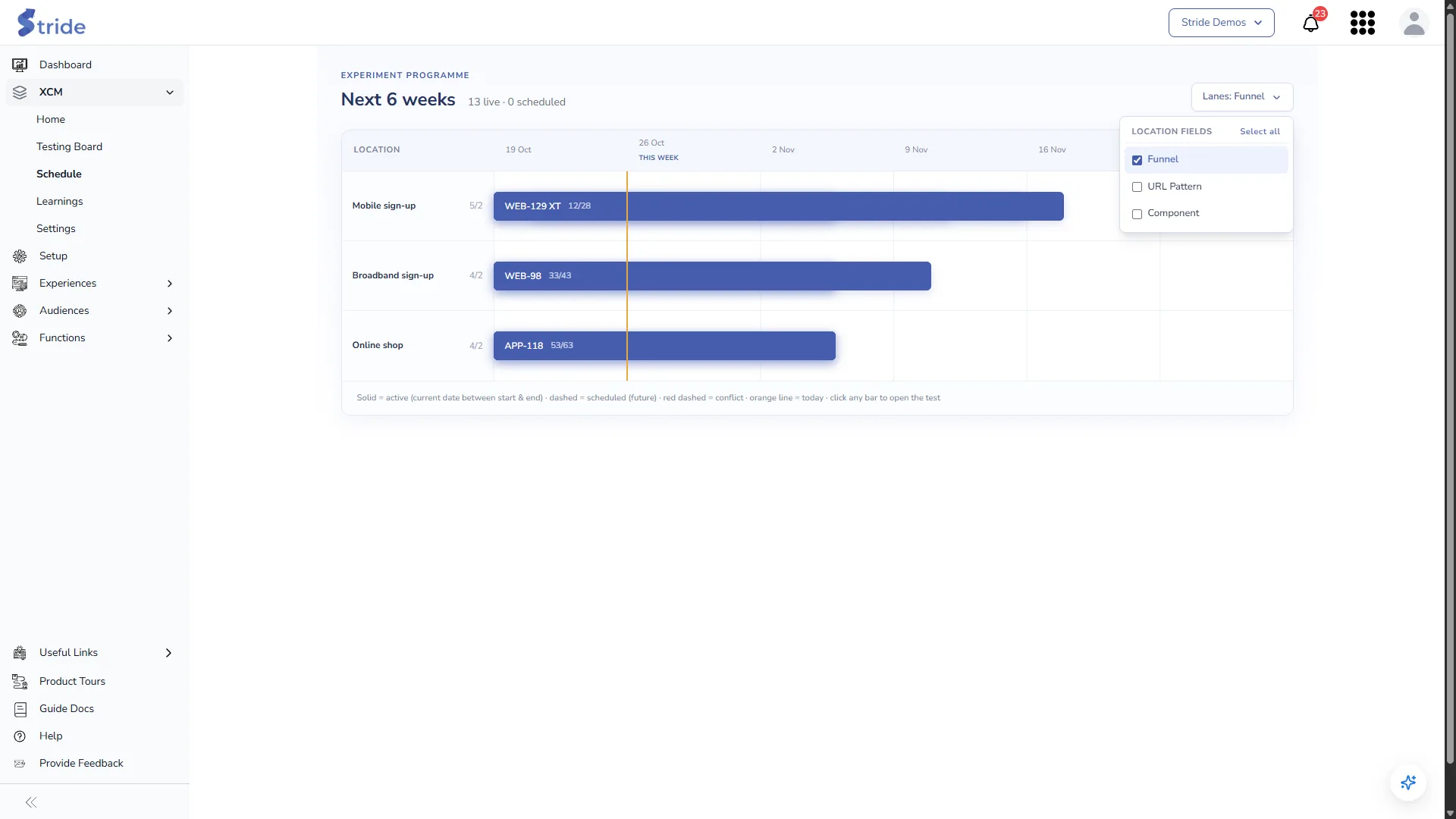
- Use the Lanes dropdown to choose which location fields make the lanes. Select all combines them.
Learnings #
XCM → Learnings collects the learning from every concluded test.
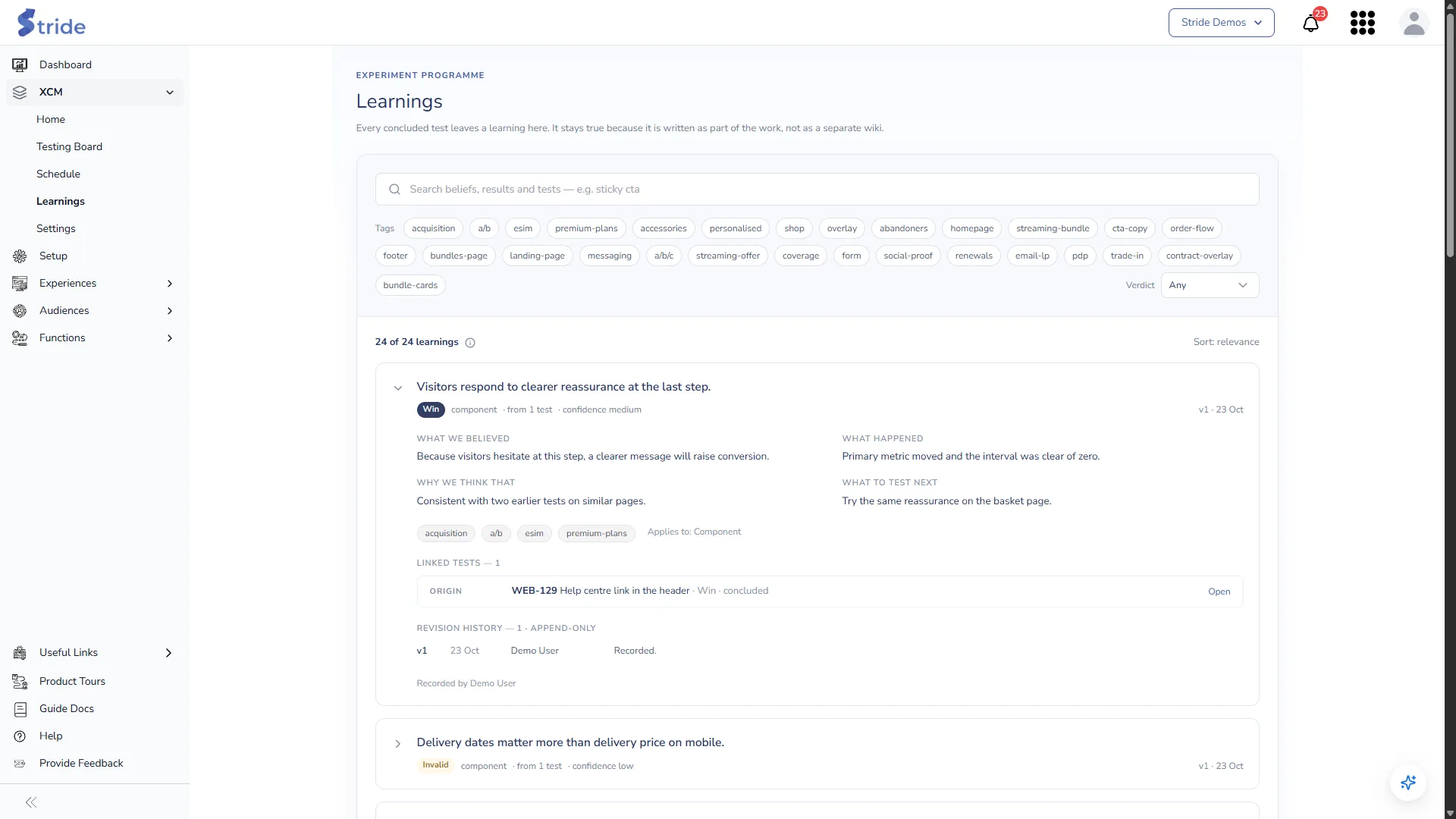
- Search beliefs, results and tests, filter by Tags, and filter by Verdict.
- Click a learning to expand it. You see what we believed, what happened, why we think that, what to test next, its tags and what it applies to.
- Linked tests shows the ORIGIN test that produced the learning and any tests that SUPPORT it. Open opens a linked test.
- Revision history shows each saved version, with who saved it and when.
Learnings are written in the Result step of a test. To change one, open its origin test. See Schedule a test and record the result.


