

Setup decides which tools your whole organisation can use with Stride, and holds the credentials Stride uses to reach them.
Who can do this
Owners and Admins. Editors can open Setup, but Stride doesn’t save changes they make there.
Stride connects to Adobe Target, Adobe Analytics, Adobe User Management, Adobe Experience Manager (AEM), Contentful, Tealium and GitHub. Each connection is an integration. Your organisation can have several integrations of each type, and one of each type is the default that Stride uses unless you pick another.
Sources and destinations #
Open Setup in the left navigation. The Configure Sources & Destinations page lists:
- Sources: where experience content and data come from.
- Destinations: where Stride publishes experiences to.
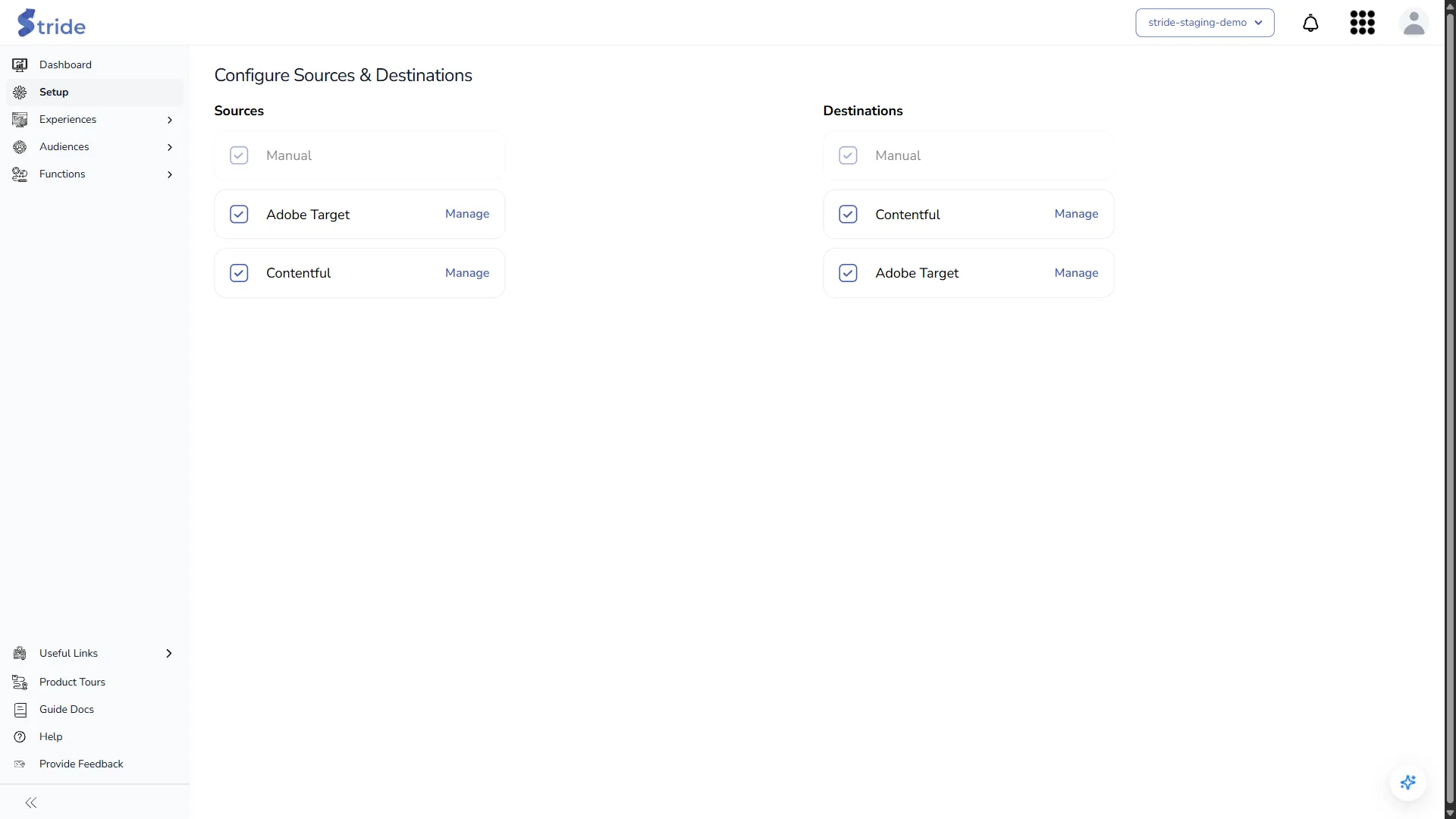
- Manual is always on in both lists and can’t be unticked.
- The other items depend on your plan: Adobe Target, AEM, Contentful and GitHub. If your plan doesn’t include one, it isn’t listed.
- A ticked box means the source or destination is enabled for your organisation. Stride saves the change as soon as you click, with no Save button.
- Manage appears beside an item only once it is ticked. Click it to open that item’s integrations list.
Warning
Ticking or unticking a box changes what your whole organisation can use. Check with your team before you change it.
What a tick switches on #
A feature stays hidden until its source or destination is ticked and has at least one integration.
| Ticked item | What it switches on |
|---|---|
| Adobe Target | The Adobe IO integrations list, Manage Offers, and Create Offer and Update Offer when you activate an experience. |
| AEM | The AEM Adobe IO integrations list, AEM Content Fragments and Update AEM. |
| Contentful | The Contentful integrations list and Contentful Entries. |
| GitHub | The GitHub integrations list and GitHub Entries. |
Tealium isn’t in either list. Tealium features depend on your plan and on a Tealium integration; see Connect Tealium.
Connect a tool #
Each integration type has its own form and fields:
- Connect Adobe Target, Analytics and User Management: an Adobe IO integration, then Manage Adobe Target workspaces.
- Connect Contentful
- Connect Tealium
- Connect Adobe Experience Manager (AEM)
- Connect and sync a GitHub repository
To edit an integration, delete one or change the default, see Edit, delete or set a default integration.


