

The AI Assistant answers plain-language questions about your Adobe Target, Adobe Analytics and Tealium iQ accounts, and can turn the results into CSV, PDF, PowerPoint or Word files.
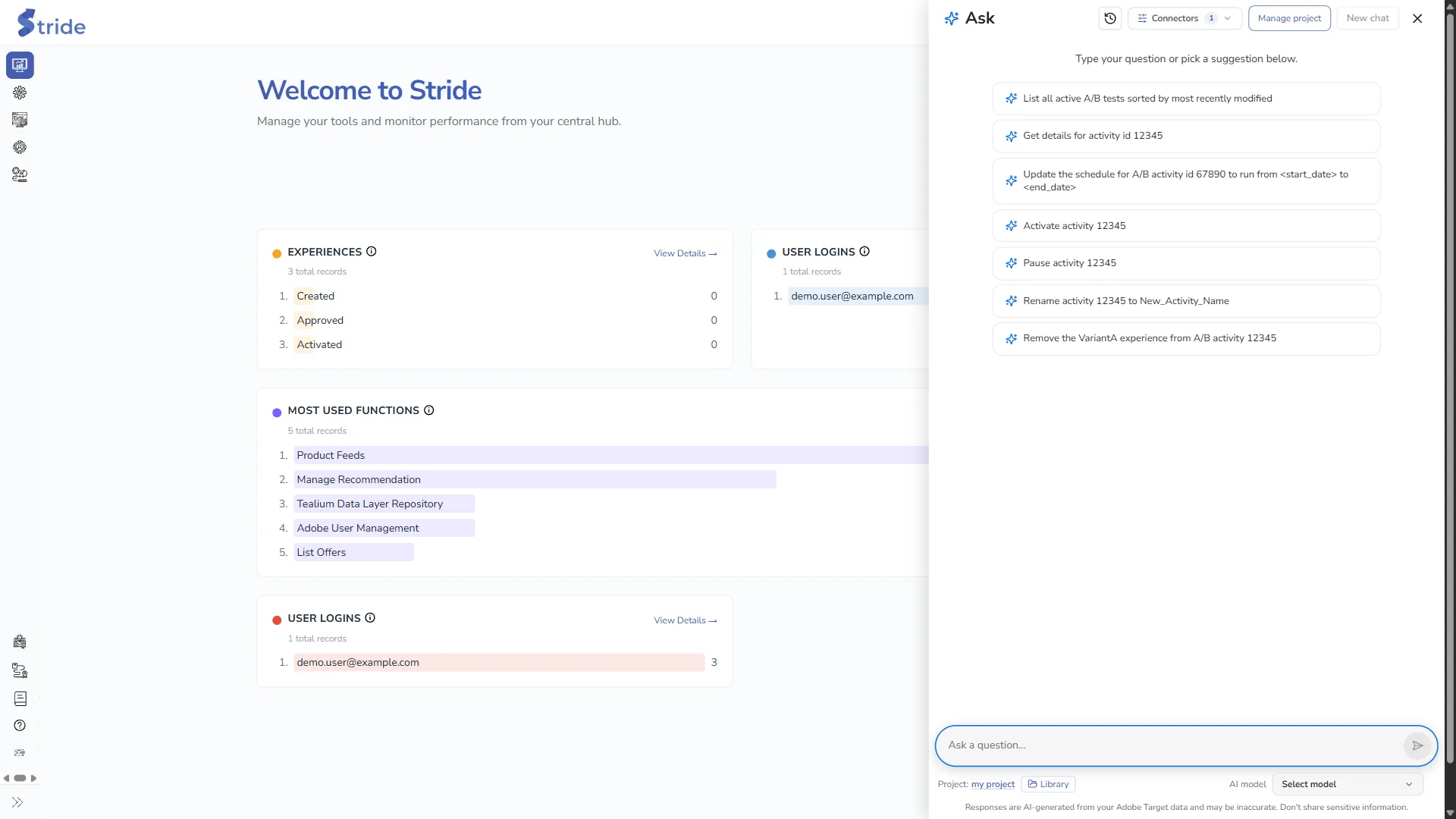
Open it with the sparkle button at the bottom right of any page. The Ask panel opens with suggested questions, such as “List all active A/B tests sorted by most recently modified”.
Plan
Each answer uses your organisation’s AI credits (see My Plan). If your plan has no AI credits, the panel shows AI Assistant Unavailable with an Upgrade Plan button. If the credits run out, you see “Insufficient AI Credits…”.
Ask a question #
Changes live systems
The assistant can change Adobe Target activities if you ask it to, for example activate, pause, rename or reschedule them. It makes the change straight away, with no extra confirmation. Check the activity ID and wording before you send a request that changes something. Tealium is read-only.
- Click a suggestion to put it in the box, or type your own question in Ask a question….
- Press Enter or click the send arrow.
- The answer streams in as it is written. The thought process shows which tools the assistant is calling.
- To cancel an answer that is taking too long, click the Stop button (the square) next to the question box.
- If an answer is cut off because the model reached its output token limit, click Retry, or ask a narrower question.
Follow-up questions, such as “what about the second one?”, use the earlier turns of the conversation. Answers are AI-generated from your account data and may be inaccurate. Don’t share sensitive information in questions.
Questions have a maximum length and answers a maximum waiting time; see AI Assistant limits.
Connectors #
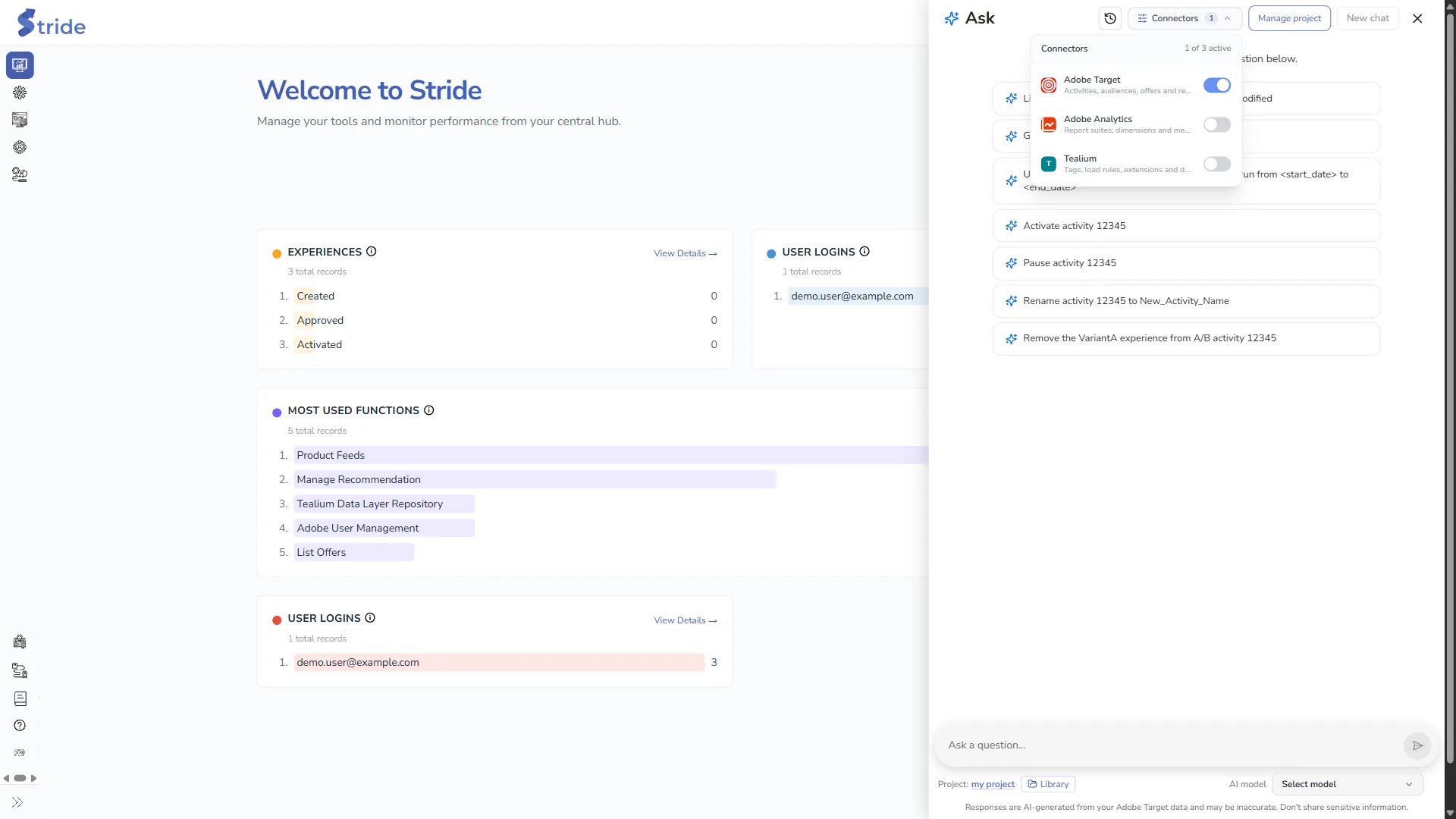
Connectors at the top of the panel chooses which systems the assistant can use in this conversation. At least one must stay on.
| Connector | What it can see |
|---|---|
| Adobe Target | Activities, audiences, offers and reports. Uses your default (or selected) Adobe IO integration. |
| Adobe Analytics | Report suites, dimensions and metrics. Needs Adobe Analytics on the Adobe IO integration. |
| Tealium | Tags, load rules, extensions and data layer variables. Uses your Tealium integration. Read-only. |
To set up the integrations, see Connect Adobe Target, Analytics and User Management and Connect Tealium.
Choose the AI model #
AI model at the bottom right picks the model that writes the answers. More capable models use more credits per answer. If you don’t pick one, Stride uses its default model.
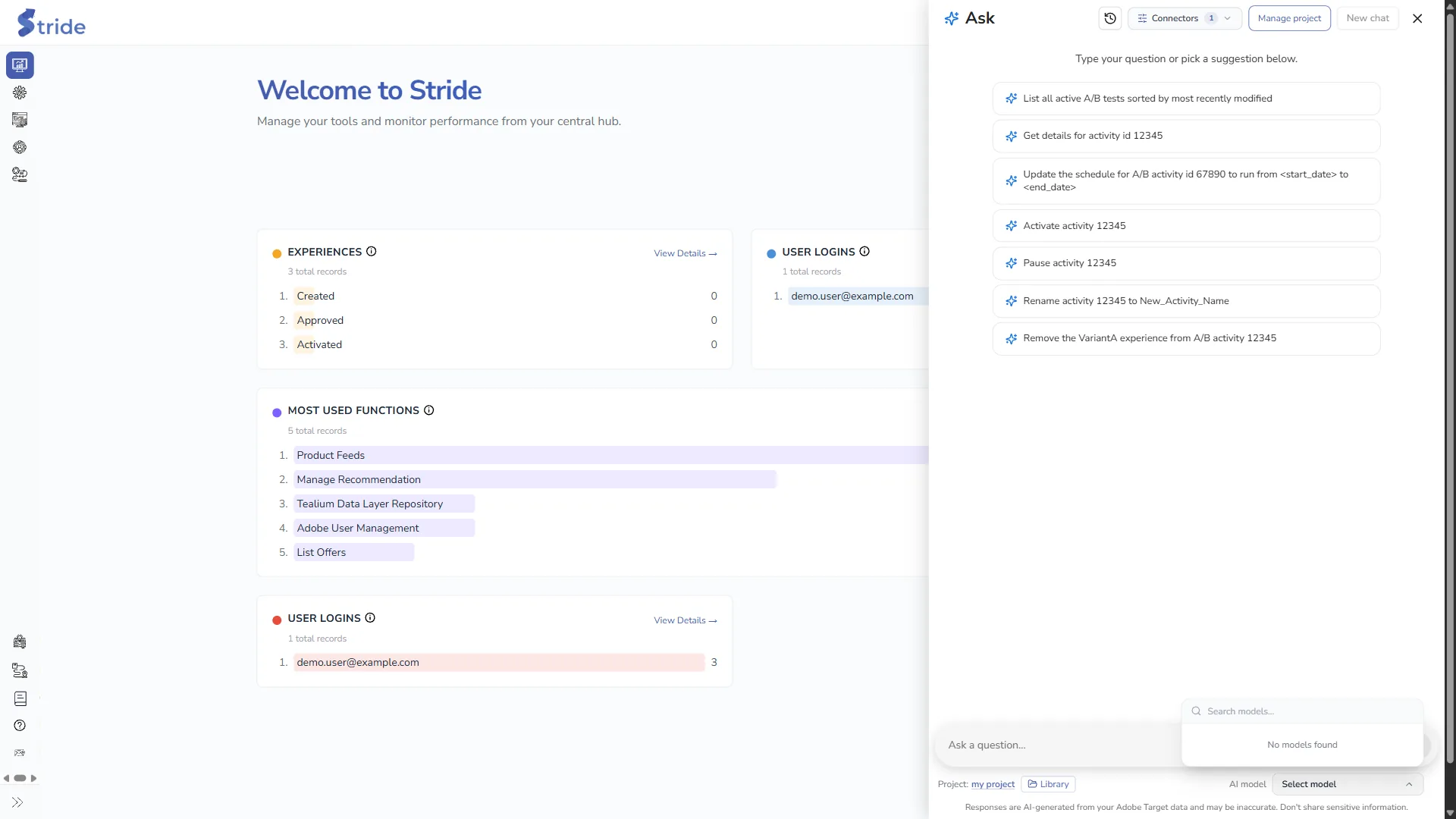
If the list shows No models found, Stride couldn’t load the model list. Ask the Stride team.


