

Add an AEM as a Cloud Service service credential so Stride can read and write AEM Content Fragments.
Who can do this
Owners and Admins. Editors can see the list, but Stride doesn’t save changes they make.
AEM Adobe IO integrations #
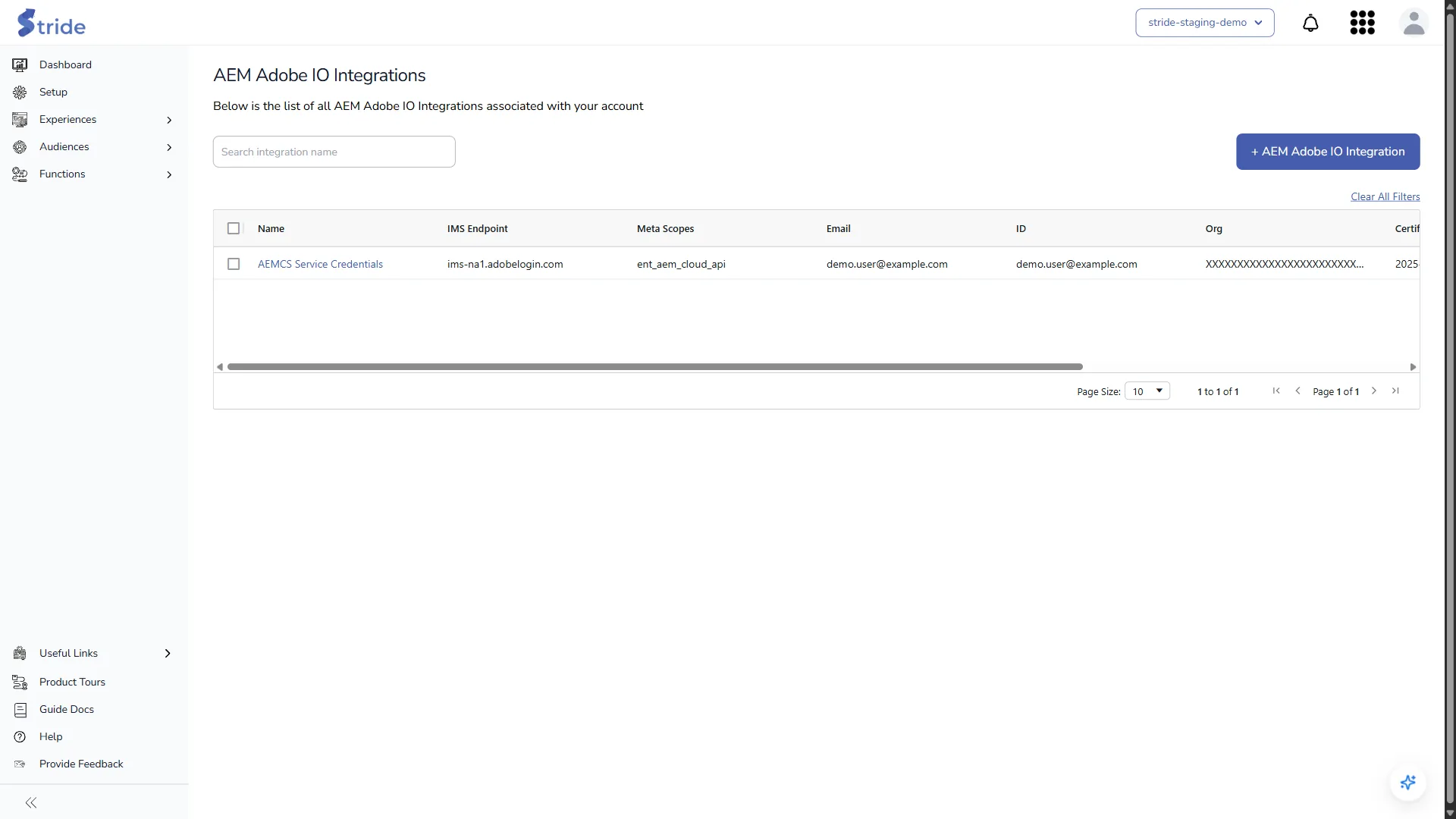
An AEM Adobe IO integration uses an Adobe IO service credential (JWT) for AEM as a Cloud Service. Stride uses it for AEM Content Fragments and the Update AEM activation.
AEM is listed in Setup only if your plan includes it. In Setup, tick AEM, then click Manage beside it. AEM Adobe IO Integrations opens.
Add an AEM integration #
- In the AEM Developer Console, download the service credentials JSON for your AEM environment.
- In Stride, click + AEM Adobe IO Integration.
- Copy the values from the JSON into the form: IMS Endpoint, Meta Scopes, Client ID, Client Secret, Email, ID, Org, Private Key, Public Key and Certificate Expiration Date. Then add:
- AEM Adobe IO Name: your label.
- Author API URL: the URL of your AEM author instance.
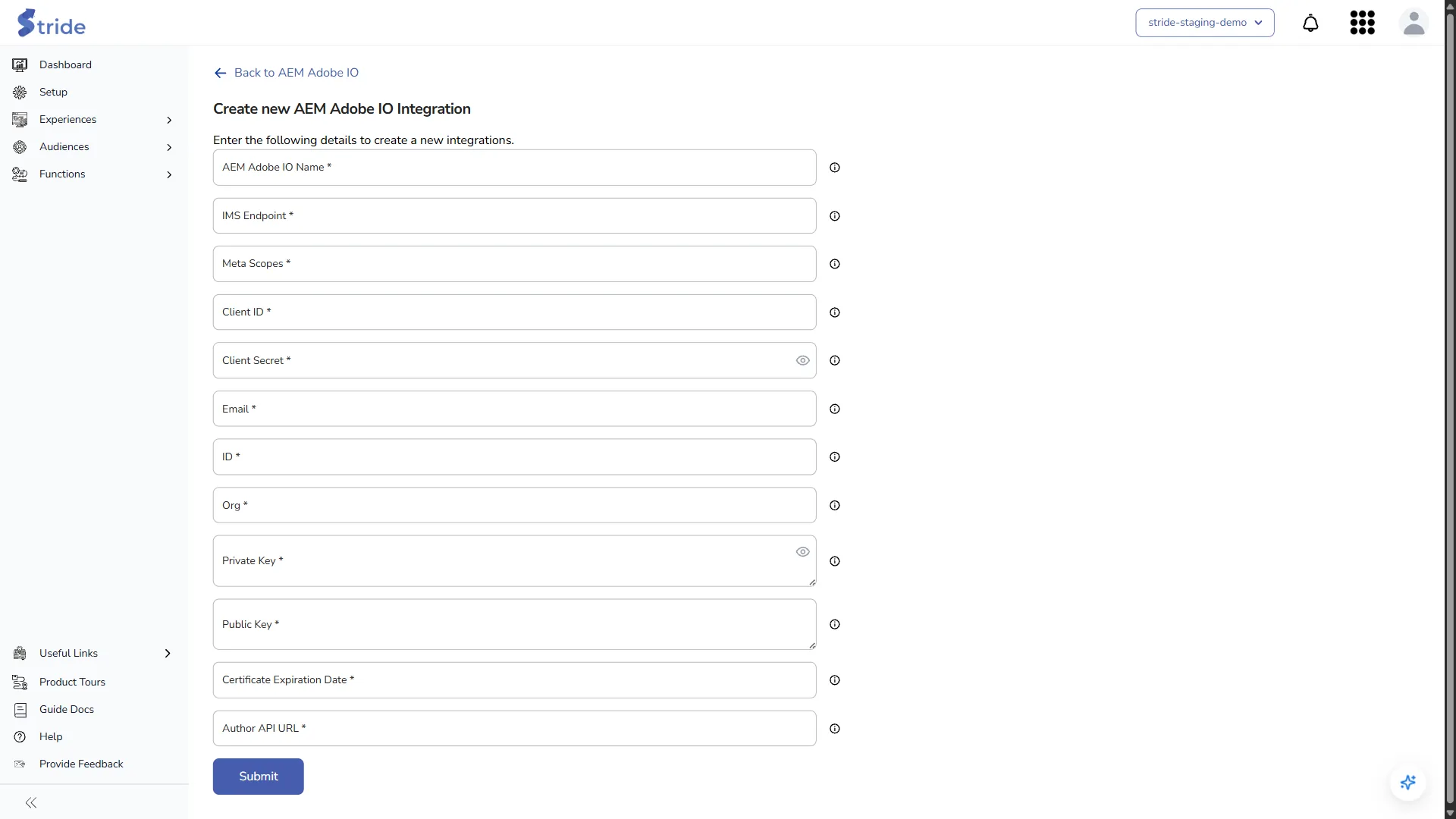
- Click Submit. There is no Validate step, so check the values before you submit.
Stride stores the secrets encrypted.
Warning
Renew the certificate before the Certificate Expiration Date, then update the integration. After that date, AEM calls start to fail.


